
AI Automation for Small Businesses in 2026: 7 Workflows to Automate First
Small businesses do not need another AI tool that creates more tabs to manage. They need workflows that reliably move work forward: responding to an inquiry, booking an appointment, preparing a quote, updating a CRM, or flagging a problem before it becomes expensive.
AI adoption is growing among U.S. small businesses. According to the U.S. Chamber of Commerce's 2026 Empowering Small Business report, 66% of U.S. small businesses use AI, up eight percentage points from 2025. The report also found that businesses using AI were more likely to report sales, profit, and workforce growth. These findings show an association, not proof that AI alone causes business growth.
For a small company, the opportunity is not to automate everything. It is to choose one repetitive, measurable workflow, make it reliable, and expand only after the results justify it.
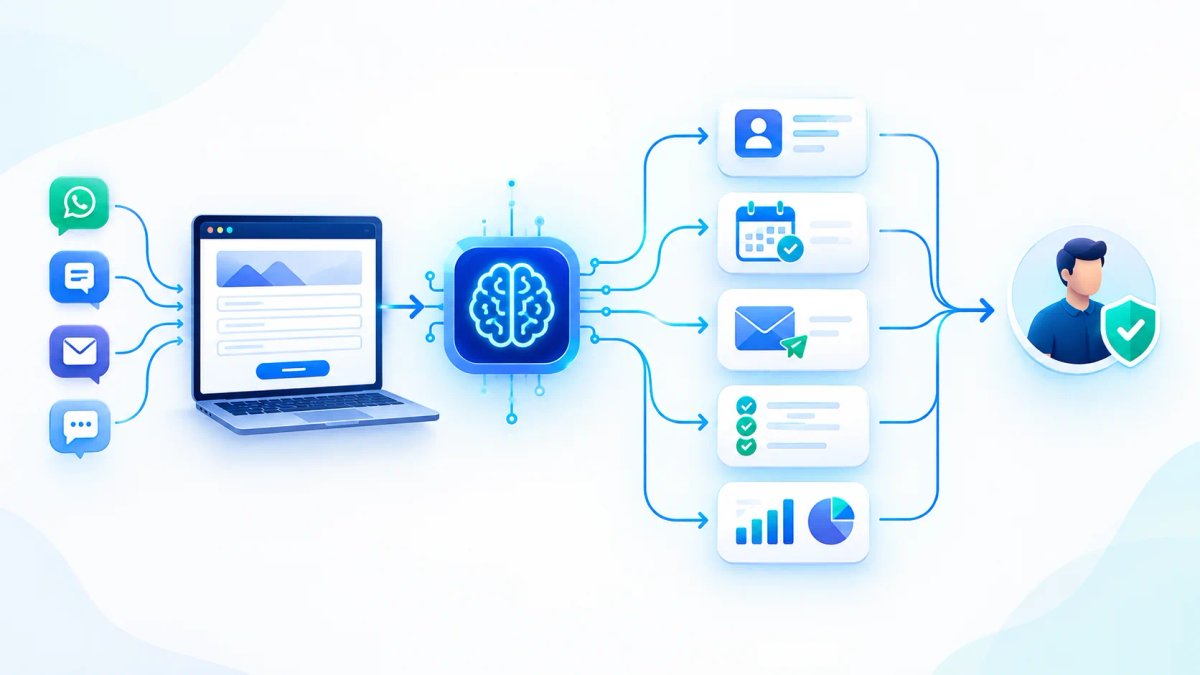
What is AI automation for a small business?
AI automation connects software tools so routine work can move from one step to the next with less manual handling.
Traditional automation follows defined rules. For example, a website form can automatically send a confirmation email when someone submits an inquiry. AI-enabled automation can also interpret the message, summarize a conversation, categorize a request, or draft a personalized response.
An AI agent goes further by using a model and connected tools to decide which actions to take within a defined workflow. OpenAI's practical guide to building agents explains that agents are particularly useful for workflows involving context, judgment, and unstructured information.
The distinction matters. Do not pay for a complex AI agent when a simple rule, form, or software integration can solve the problem.
7 AI Automations Small Businesses Should Consider First
1. Lead Capture, Qualification, and Follow-Up
When a prospect submits a website form, sends an email, or messages a business, an automation can collect the inquiry, summarize what the prospect needs, assign a lead stage, and notify the right person.
It can also draft a personalized follow-up and create a reminder if the prospect does not reply.
Useful for: Agencies, consultants, home-service businesses, B2B providers, and companies receiving inquiries through multiple channels.
What to measure: Time to first response, percentage of leads contacted, appointment-booking rate, and lead-to-customer conversion.
Important safeguard: During the initial pilot, let staff review messages before sending. Do not allow AI to invent prices, availability, guarantees, or contract terms.
2. Customer Support Triage and Reply Drafts
An AI workflow can classify incoming support requests, such as billing questions, account access issues, delivery updates, and technical problems. It can then route each request to the appropriate team.
For common questions, the system can draft a response using approved help articles and product documentation.
Useful for: SaaS companies, online stores, service providers, and businesses that repeatedly answer the same questions.
What to measure: First-response time, routing accuracy, rework rate, and customer satisfaction.
Important safeguard: Escalate complaints, security concerns, refund disputes, and uncertain answers to a human. A system should acknowledge uncertainty instead of inventing an answer.
3. Appointment Booking and Reminders
An automation can check approved calendar availability, offer valid time slots, create a booking after confirmation, and send reminders before the appointment.
When a customer cancels, it can notify staff or offer the available slot to a waitlist.
Useful for: Salons, repair services, consultants, and clinics handling administrative scheduling.
What to measure: Booking completion rate, no-show rate, coordination time, and rescheduling workload.
Important safeguard: Define business hours, time zones, cancellation policies, and calendar permissions. Require confirmation before making changes to critical bookings.
4. Quote and Proposal Preparation
An AI workflow can use information from a discovery form and approved pricing rules to prepare a first draft of a quote, proposal, or statement of work.
It can also flag missing information, such as project scope, delivery dates, dependencies, and client requirements, before the document reaches a salesperson.
Useful for: Software agencies, marketing firms, consultants, contractors, and B2B service providers.
What to measure: Time from inquiry to proposal, number of revisions, and proposal-to-sale conversion.
Important safeguard: A qualified employee must approve the scope, prices, assumptions, legal terms, and final document.
5. Invoice and Document Administration
Automation can extract fields from invoices and forms, match records, route exceptions, and remind employees when documentation or approval is missing.
AI can interpret different document layouts, while conventional validation rules check required fields and totals.
Useful for: Businesses processing recurring vendor invoices, purchase orders, onboarding forms, and service paperwork.
What to measure: Processing time per document, missing-field rate, correction rate, and overdue approvals.
Important safeguard: Never let unreviewed AI output independently trigger a payment or change bank details. Use access controls, audit logs, and human approval for material financial actions.
6. Internal Knowledge Search and Employee Onboarding
A connected assistant can help employees find approved company policies, product documentation, onboarding instructions, and troubleshooting procedures.
Instead of searching across several folders, employees can ask a question and receive a response linked to relevant source documents.
Useful for: Growing teams, distributed companies, support teams, and businesses with frequently changing procedures.
What to measure: Time required to find an answer, repeated internal questions, onboarding time, and source accuracy.
Important safeguard: Restrict access by role, show the source documents, and keep the knowledge base updated. An assistant cannot reliably answer questions using missing or outdated information.
7. Weekly Reporting and Exception Alerts
A workflow can gather approved figures from a CRM, analytics platform, help desk, or project tracker. It can summarize changes and flag unusual patterns for review.
For example, it might identify leads without follow-up, projects falling behind schedule, or support queues growing faster than usual.
Useful for: Business owners and managers who prepare the same reports manually every week.
What to measure: Reporting hours saved, data freshness, error rate, and the number of alerts that lead to useful action.
Important safeguard: Define a trusted source for every metric. AI should explain verified numbers, not silently alter records or present guesses as facts.
How to Choose the Right Workflow
Do not start with the most impressive AI demonstration. Evaluate workflows using five practical criteria:
- Volume: How often does the task happen each week?
- Repetition: Are the steps consistent, or does every case require a different process?
- Cost of delay: Does slow handling affect sales, service, or delivery?
- Data readiness: Is the required information accurate, accessible, and permitted for this use?
- Risk: What happens if the automation makes a mistake? Start with a workflow that is frequent, repetitive, measurable, and relatively low-risk. Processes affecting money, contracts, sensitive data, or customer rights need stronger permissions and review procedures.
A 30-Day AI Automation Implementation Plan
Week 1: Map the Current Process
Document each step, who owns it, which tools are involved, common exceptions, and how long the task currently takes. Record a baseline before building the automation.
Week 2: Build One Narrow Workflow
Connect only the systems needed for the initial use case. Use rule-based automation for predictable steps and AI where interpreting messages or documents adds genuine value.
Keep the workflow small enough for your team to understand and troubleshoot.
Week 3: Test Normal Cases and Failures
Test incomplete forms, duplicate records, unusual requests, unavailable services, incorrect classifications, and failed integrations.
Add logging, error notifications, retry rules, and a manual fallback. Keep human approval wherever mistakes could have a meaningful impact.
Week 4: Compare Results and Decide
Compare the new workflow with the original baseline. Keep it only if it saves meaningful time, improves a business outcome, or reduces recurring errors without introducing unacceptable risk.
Fix the process before expanding automation into other departments.
How to Calculate the ROI of AI Automation
A useful starting formula is:
Monthly net value = value of productive time released + measurable business gains − operating costs
Suppose a workflow releases 12 hours per month and the fully loaded cost of that time is $30 per hour. That represents $360 per month in potential labor capacity.
This is an illustrative calculation, not a guaranteed cash saving. The released time has financial value when employees redirect it to productive work or the business reduces actual expenses.
Subtract software subscriptions, API usage, implementation, maintenance, and human review costs before deciding whether the automation is worthwhile.
Track task time, error rates, customer response speed, conversion rates where relevant, and monthly operating costs. The number of automations built is not a reliable measure of success.
What Should Small Businesses Avoid Automating Blindly?
AI should not receive unrestricted authority over payments, bank-detail changes, legal commitments, sensitive personnel decisions, or high-impact customer outcomes.
Use narrow permissions, approved information sources, human checkpoints, activity logs, and a clear route to manual intervention.
Do not expect AI to repair a broken process automatically. If nobody owns the workflow, the source data is unreliable, or the steps change every time, standardize the process first.
Sometimes the right solution is better software integration rather than an AI agent.
Final Takeaway
The most useful AI automation for a small business is not the one with the most features. It is the one that removes a real bottleneck, works with the tools the team already uses, and proves its value against a baseline.
Choose one workflow—lead follow-up, support triage, scheduling, document processing, internal search, or reporting—and measure the results before expanding.
For help assessing a workflow or connecting existing systems, see our AI lead follow-up automation service, related business process automation, or contact TechVerge Solutions to map a practical next step.